Static vs Dynamic Websites

Bakslash editorial
August 20, 2026
Comparte este artículo
Introduction
Choosing between a static or dynamic website is one of the most important technical decisions when developing your digital presence. This choice directly impacts costs, maintenance, speed, and your project's ability to scale.
At Bakslash, we work with both technologies depending on each client's specific needs. In this article, we explain the key differences, advantages, disadvantages, and real use cases to help you make the best decision.

modern workspace with code - static vs dynamic websites
What is a Static Website?
A static website is one whose content is pre-rendered and delivered exactly as it's stored on the server or in the code itself. The HTML, CSS, and JavaScript are written in a fixed manner, and every user sees exactly the same thing.
Key characteristics:
- Static HTML files served directly
- No database or server processing
- Same content for all users
- Changes require modifying source code
Common technologies:
- Pure HTML5
- Static generators: Next.js (Static Site Generation), Gatsby, Hugo, Jekyll
- CDN hosting: Vercel, Netlify, Cloudflare Pages

HTML on screen - static vs dynamic websites
What is a Dynamic Website?
A dynamic website generates content in real-time based on user requests. The server processes information, queries databases, and builds personalized pages for each visitor.
Key characteristics:
- Content generated in real-time
- Connected to a database
- User interaction (login, profiles, shopping carts)
- Content management through CMS
Common technologies:
- WordPress with WooCommerce (For an Ecommerce)
- Next.js with API Routes
- React + Node.js
- PHP, Python (Django), Ruby on Rails
- Databases: MySQL, PostgreSQL, MongoDB

administration dashboard - static vs dynamic websites
Direct Comparison: Static vs Dynamic
Direct Comparison: Static vs Dynamic (Simplified)
| Aspect | Static Website | Dynamic Website |
| Load speed | Extremely fast (milliseconds) | Slower (requires processing) |
| Hosting costs | Very low (sometimes free) | Higher (server + database) |
| Security | Very secure (fewer attack vectors) | Requires constant maintenance |
| Scalability | Excellent (global CDN) | Depends on infrastructure |
| Maintenance | Minimal | Requires regular updates |
| Content updates | Requires technical knowledge | User-friendly interface (CMS) |
| Customization | Limited | High (content per user) |
| Interactivity | Client-side only (JavaScript) | Complete (server + client) |
Advantages and Disadvantages of Static Websites
✅ Advantages:
Exceptional performance
Since they don't require server processing or database queries, static websites load in milliseconds. Ideal for Core Web Vitals and SEO.
Minimal hosting costs
Services like Vercel, Netlify, or Cloudflare Pages offer free hosting for static websites with global CDN included.
Superior security
Without a database or exposed server code, there are far fewer attack vectors. No vulnerable plugins or SQL injection risks.
Automatic scalability
CDNs distribute your content globally. Supporting millions of visits requires no additional configuration.
❌ Disadvantages:
Complex content updates
Changing text or images typically requires modifying code and redeploying, though tools like Sanity CMS can solve this.
Functional limitations
Difficult to implement user areas, complex shopping carts, or personalized content without hybrid solutions.
Build process
Very large sites can take several minutes to fully regenerate when changes are made.

static site generator code
Advantages and Disadvantages of Dynamic Websites
✅ Advantages:
Simple content management
Interfaces like WordPress, Sanity, or any CMS allow content updates without touching code.
Complete functionality
Login systems, user profiles, transactions, personalized dashboards, etc.
Advanced personalization
Show different content based on user, location, browsing history, preferences, etc.
Service integration
Payment APIs, email marketing, CRM, real-time inventory, etc.
❌ Disadvantages:
Greater technical complexity
Requires configuring server, database, backups, and understanding more components.
Higher costs
Server hosting can range from $5-10/month to hundreds depending on traffic and resources.
Ongoing maintenance
Security updates, plugins, frameworks, databases, performance monitoring.
Security vulnerabilities
WordPress, for example, requires constant updates to close security gaps.
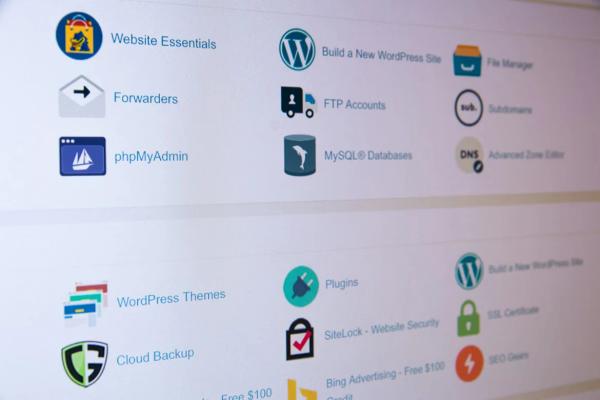
WordPress dashboard
When to Choose a Static Website?
Ideal use cases:
Landing pages and corporate websites
Perfect for presenting your company, services, portfolio, or specific campaigns. At Bakslash, we use multiple cutting-edge technologies that adapt to your project's needs. We help you evaluate and choose the best option.
Blogs and editorial content
Combining static generators with Headless CMS (Sanity, Contentful) gives you the best of both worlds: ease of editing + extreme speed.
Technical documentation
Open source projects and product documentation work perfectly as static websites.
Professional portfolios
Designers, photographers, architects: websites that prioritize aesthetics and speed over complex functionality.
*Keep in mind that one of the disadvantages is that you'll need to 'edit' with every change.
When to Choose a Dynamic Website?
Ideal use cases:
E-commerce with real-time inventory
WooCommerce, Shopify, Magento: require dynamic processing for shopping carts, payments, updated stock.
SaaS platforms and web applications
Dashboards, management systems, collaborative tools need authentication and personalized data.
Websites with user-generated content
Forums, social networks, review platforms, online communities.
Booking and quotation systems
Hotels, restaurants, professional services that require real-time availability.
Real example from Bakslash:
A quotation and internal CRM system is completely dynamic: clients fill out forms, we generate personalized PDFs, send automated emails, and manage the entire sales pipeline.
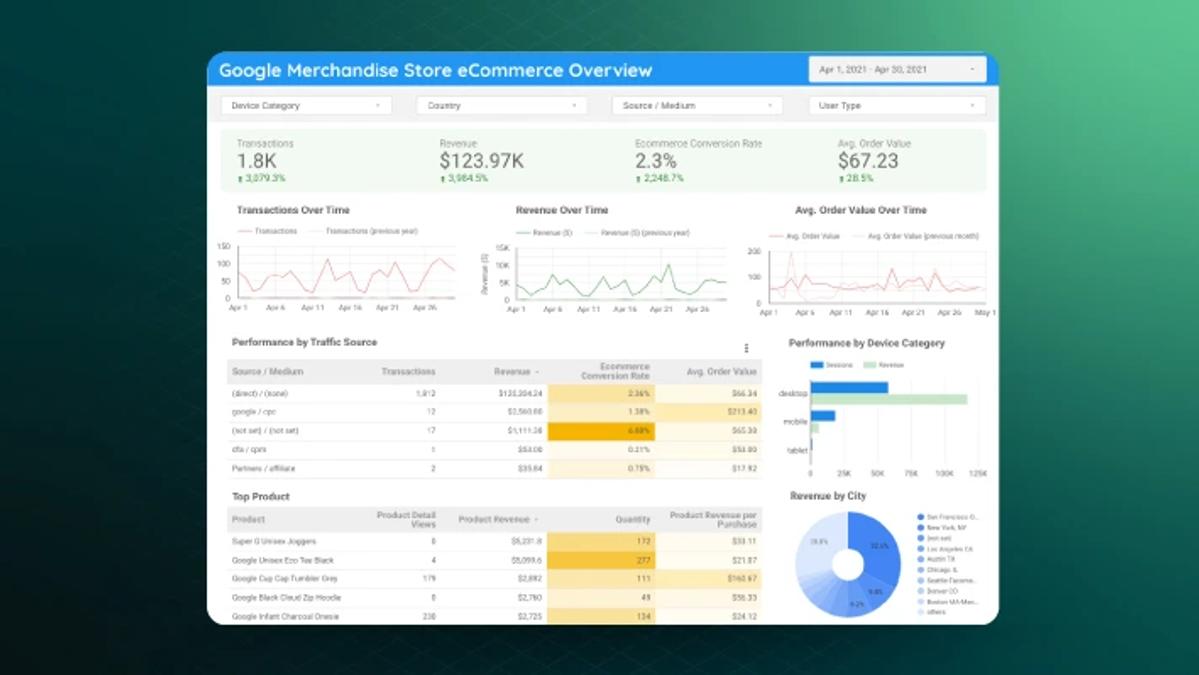
ecommerce dashboard
The Hybrid Solution: The Best of Both Worlds
Many modern projects are neither 100% static nor 100% dynamic. At Bakslash, we frequently implement hybrid architectures:
Next.js with ISR (Incremental Static Regeneration)
- Static pages that regenerate every X minutes
- Near real-time content with static website benefits
- Ideal for blogs, product catalogs, news sites
Static Site + Dynamic API
- Static frontend (Gatsby, Next.js SSG)
- Backend API for specific functions (login, payments, forms)
- JAMstack architecture
Headless CMS + Static Generator
- Administrators edit in Sanity/Contentful
- Site automatically regenerates with webhooks
- Better UX for editors + performance for users

website choice
Cost Considerations
Static Website:
- Hosting: $0 - $20/month (Vercel, Netlify free for most)
- Headless CMS: $0 - $99/month (Sanity has a generous free tier)
- Initial development: Similar to dynamic
- Monthly operational total: $0 - $150
Dynamic Website:
- VPS/Cloud hosting: $10 - $200+/month
- Database: $0 - $100+/month (depending on service)
- Maintenance/Updates: $50 - $300/month
- Backups and security: $10 - $50/month
- Monthly operational total: $70 - $650+
SEO: Are There Differences?
Myth: "Static websites are better for SEO"
Reality: Both can rank perfectly if properly optimized. However:
Static website advantages:
- Extreme speed benefits Core Web Vitals
- Clean semantic HTML
- Reduced first load time (LCP, FCP)
Dynamic website advantages:
- Easy to update content frequently (positive signal for Google)
- Dynamic meta tags personalization
- Structured data automatically updated
At Bakslash, we implement robust technical SEO in both types, including:
- Server-side rendering when necessary
- Optimized meta tags
- Dynamic sitemaps
- Structured data (Schema.org)
- Image optimization (Next.js Image)
Decision Checklist
Use this quick guide to decide:
Choose Static Website if:
- ✅ Content changes infrequently (weekly/monthly)
- ✅ You don't need user login
- ✅ You don't need to self-manage changes to your website
- ✅ Maximum priority: speed and SEO
- ✅ Limited hosting budget
- ✅ Project: landing page, blog, portfolio, corporate website
Choose Dynamic Website if:
- ✅ Content updates constantly (multiple times daily)
- ✅ Need for continuous self-management
- ✅ Require user/client areas
- ✅ E-commerce with real-time inventory
- ✅ Multiple roles and permissions
- ✅ Deep integration with existing systems
Consider Hybrid Solution if:
- ✅ You need speed but also functionality
- ✅ Mid-range budget
- ✅ Non-technical team should edit content
- ✅ Future scalability is critical
Conclusion
There's no one-size-fits-all answer. The choice between static and dynamic depends on:
- Project objectives
- Available budget
- Content update frequency
- Required functional complexity
- Team technical capacity
At Bakslash, we analyze each case specifically and recommend the architecture that best fits your real needs, not just industry trends.
Do you need help deciding which type of website is right for your project?
Ready to Take Your Project to the Next Level?
At Bakslash, we transform ideas into high-performance digital solutions. Whether it's an ultra-fast static site or a complex dynamic web application, we have the expertise to execute it.
📅 Schedule a free 30-minute consultation:
Book your call here
📧 Contact us directly here
#SoftwareFactory. #TechPartner. #StartupBuilders.